Your year in trains
Every journey you followed, counted on the device: how far, how punctual, which trains.
Every picture here is the app itself, running against the real Swiss timetable — on an Android phone and watch, in a browser, and in the Linux desktop app. Under each one: what it ran on, and when.

Web · 2026-11-02
swisstopo’s 1:100 000 map under every journey — optional, and kept on the device.
Get it →Android · debug build · 2026-10-08 — Web · Chromium · 2026-10-06


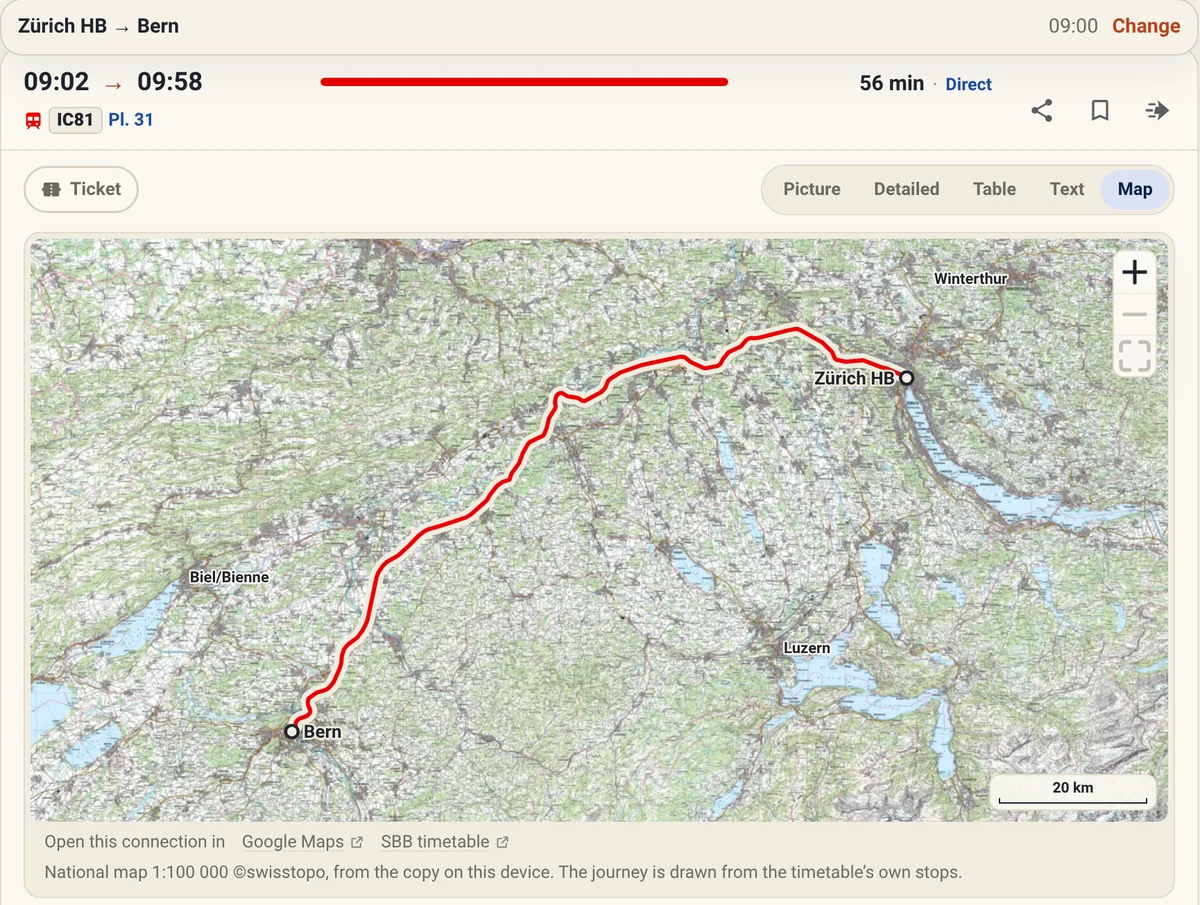
Any connection’s map opens over the whole screen, and a long journey goes closer than a short one — until the ground under it can be read.
Try it yourself →Android · debug build · 2026-10-08 — Linux · 2026-10-07


Classes, the dining car, room for a bike, and the sector to wait in — drawn wherever the operator publishes the formation.
Try it yourself →Web · 2026-09-08
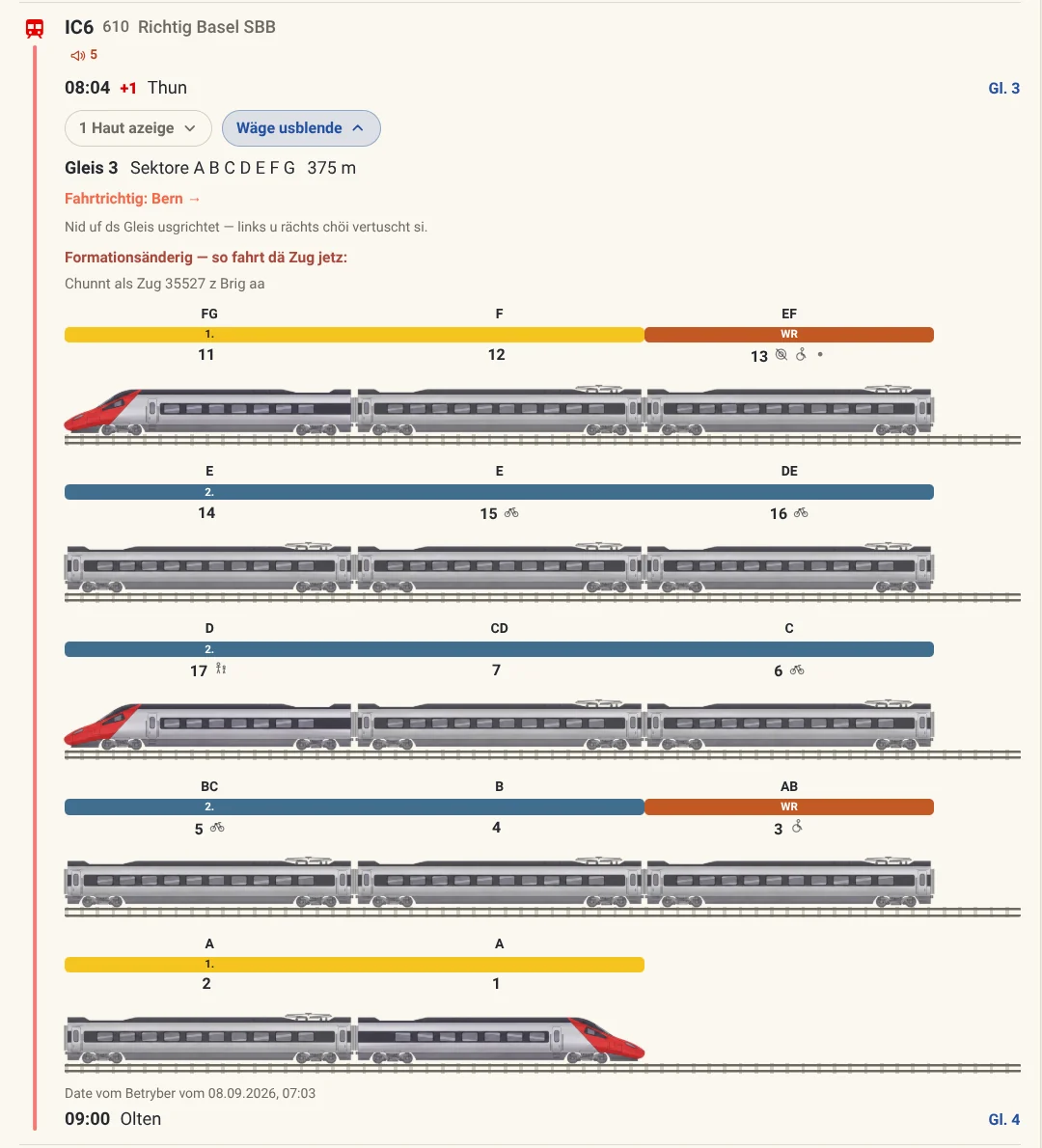
Carriage layout and door side for many trains. Wait at the right end of the platform, not along it.
Get it →Android · 2026-09-08

A countdown to the minute you need to head out. No re-reading the timetable.
Get it →Android · 2026-09-08

The next platform, and whether you can actually reach it — while the train is still moving.
Get it →Android · 2026-09-08

The lakes a line runs along, worked out from the line itself — left or right in the direction of travel, and for how long.
Get it →Android · debug build · 2026-10-08 — Web · Chromium · 2026-10-08

Tell the app how quickly you move and it offers the tighter connections — often a train earlier.
Try it yourself →Web · 2026-10-25

A slider says how much of the timetable’s own change time you need. Below it, a second search runs quietly behind yours and marks the connections you would only catch by running — like the Sprint above.
Try it yourself →Web · Chromium · 2026-10-25

Two buttons that know where home and work are, your starred stops under the search, and the last searches ready to swap and run again.
Try it yourself →Web · 2026-10-25

Search from an address, or to one. The walk at either end is part of the answer.
Try it yourself →Web · Chromium · 2026-10-25

Where real-time data exists, times shift with it. Where it does not, you see the plan — and are told so.
Try it yourself →Web · 2026-11-01

Every stop’s next departures with their platforms — on the phone’s home screen too.
Try it yourself →Android · debug build · 2026-10-08 — Web · 2026-11-01


Several places in one day, with as long as you like at each — and the whole day on one picture.
Try it yourself →Web · Chromium · 2026-10-06

Next stop and countdown on Wear OS, for when the phone stays in the pocket.
Get it →Wear OS · 2026-09-04, 2026-09-08


Not a cache of your recent searches. The entire Swiss timetable is preprocessed into one file on your device, so a search in a tunnel or a valley with no bars is the same search as the one at home.
Get it →Android · debug build · 2026-10-08

Everywhere you can reach in an hour, on a map — and the fairest place to meet somebody who starts somewhere else.
Try it yourself →Android · debug build · 2026-10-08 — Web · Chromium · 2026-10-23

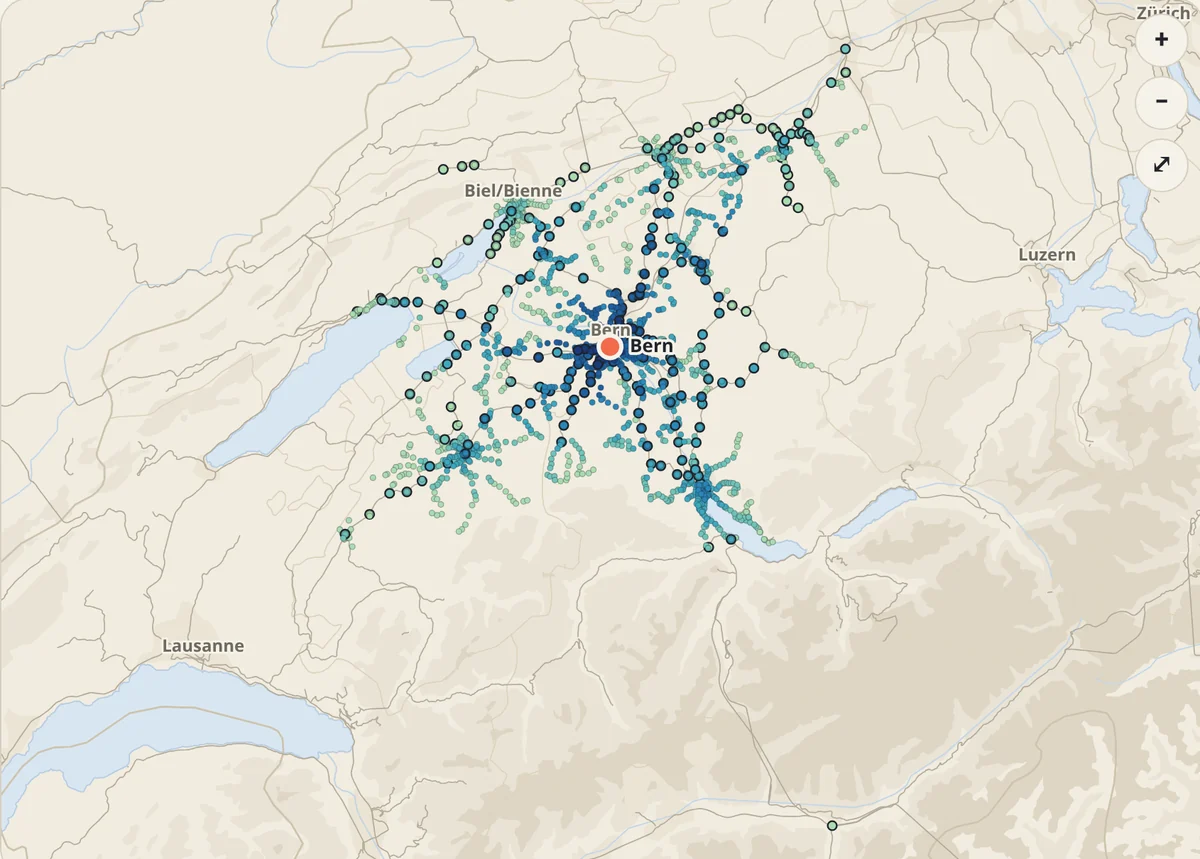
Two starting points, and the places in between that are fair to both — with how long each of you travels.
Try it yourself →Web · 2026-10-11

A square of map with no names on it and a dot on a station. Six guesses, each telling you how far off you are and in which direction — then a trip there.
Try it yourself →Android · debug build · 2026-10-08


One button for when you have had enough of here: it picks a place worth the trip and the next connection there — with a few lines on what you will find.
Try it yourself →Web · Chromium · 2026-10-25

A chase on real trams and trains: one Fox, a few Hunters, a city and an afternoon.
Try it yourself →Web · Chromium · 2026-10-25

The same offline planner as the phone, for Linux, macOS and Windows. The timetable is downloaded once; every search after that is answered on the machine.
The desktop guide →Linux · 2026-10-06

German, French, Italian, Romansh, Spanish, English — and seven Swiss German dialects. You may be reading one now.
Try it yourself →Web · 2026-09-08

Nothing to install. On your home screen, it keeps the whole timetable on the phone.
Get it →Web · Chromium · 2026-10-06

A connection travels as a link, with the whole journey inside it. Whoever opens it needs no app — and reads it in their own language.
Try it yourself →Web · 2026-09-08

We sell nothing. When the journey is settled, hand it over to the app that does — SBB Mobile, Fairtiq, ÖBB, Deutsche Bahn, search.ch — already filled in.
Get it →Android · 2026-09-08

Ask Claude, ChatGPT or Gemini about trains, and they ask our planner. One address to connect, nothing to install.
Connect it →Web · the card an assistant draws · 2026-10-25

Enough to get you to the platform, and little else. Everything here works today.
Every journey you followed, counted on the device: how far, how punctual, which trains.
Eight ways in, one Rust engine — on your device, or on our server for the browser and your AI assistant.
No account, no profile, no tracking. Searches are answered and not stored.
Timetables, delays and carriage data come from Switzerland’s open transport data — passed on as received.
Every feature here exists because somebody asked for it. Every idea is read by a person.